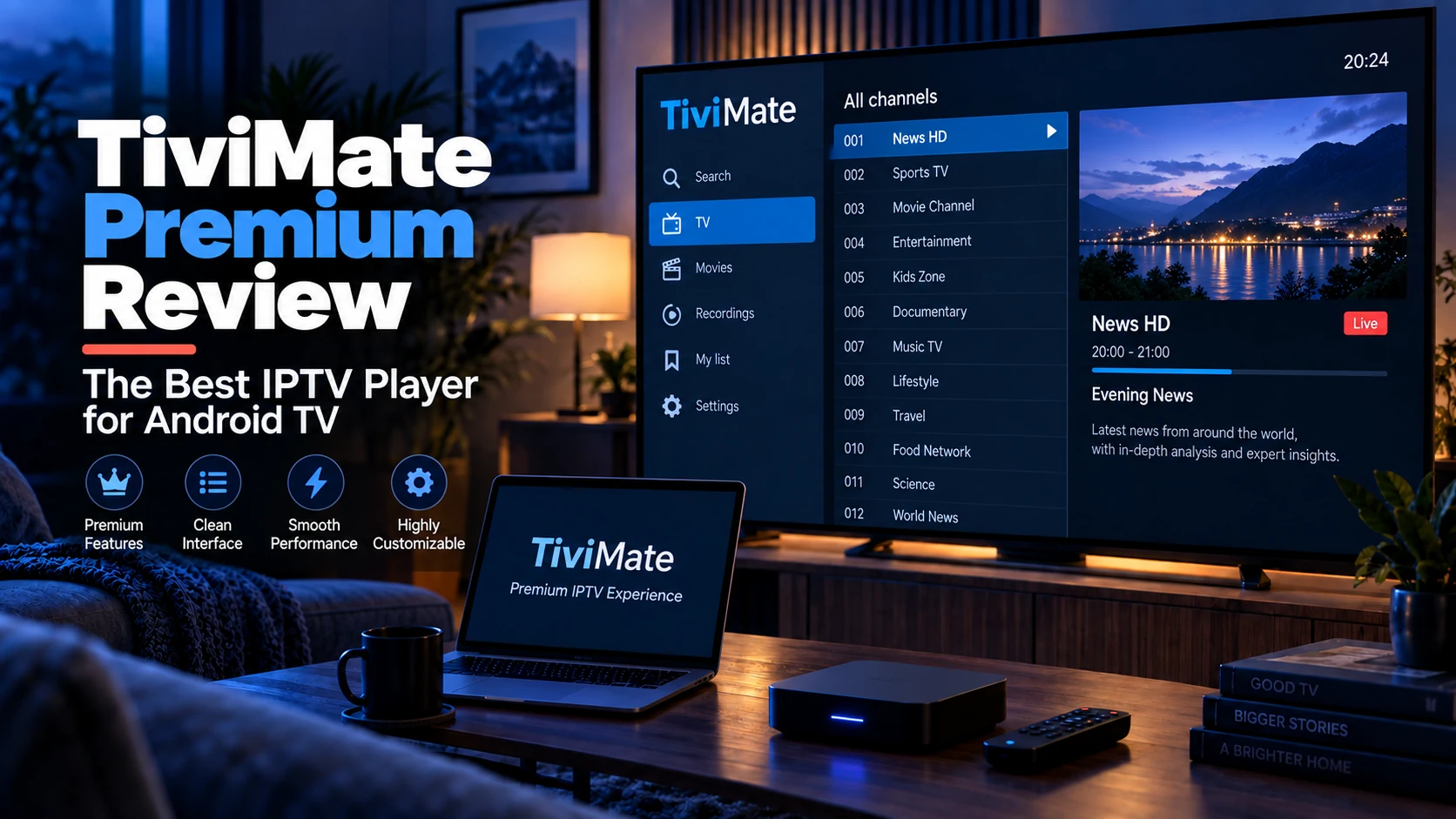
TiviMate Premium is worth it if you watch live IPTV on Android TV or a Firestick every day and want a cable-style guide with catch-up, several playlists and parental controls. If you only stream occasionally, or you need the same app on an iPhone or a desktop, the free tier or another player will do.
Quick answer: TiviMate's free version gives you one playlist and a basic guide. Premium (a small in-app annual fee, or a one-time lifetime unlock) adds multiple playlists, catch-up, parental controls, guide customisation, recording and backup. For a daily Android TV user, that is a fair trade; for everyone else, it is optional.
What TiviMate Is (and Isn't)
TiviMate is a dedicated IPTV player for Android TV and Fire TV. It is not a provider, a subscription or a source of content — like any player, it only renders the M3U playlist you feed it. Its reputation comes from one thing: its programme guide looks and behaves like a cable TV guide, driven by a remote control, with channel logos and a smooth grid.
Two important constraints up front:
- Android TV / Fire OS only. There is no iOS, iPadOS, macOS or Windows build, and no web player.
- Not on the Amazon App Store. On a Firestick you install it by sideloading the APK (a process we cover in the alternatives section below).
If you are new to what a player actually does versus what a provider supplies, start with What Is an IPTV Player?.
How to use this review
This is a feature-and-fit review, not a promise that every playlist will work the same way. The important distinction is between the player and the source: the official Google Play listing for TiviMate states that a Premium upgrade unlocks app features only; it does not supply channels or media. Catch-up, guide data, stream quality and simultaneous use still depend on the playlist or provider you choose.
Before paying, verify the current price, device limit and available features in the official purchase flow for your country. Those details change, so a review should describe the decision rather than freeze a temporary price into a search snippet.
Free vs Premium: What Actually Changes
TiviMate's free version is functional, but the limits are intentional. Here is the split you will notice in daily use:
| Feature | Free | Premium |
|---|---|---|
| Playlists | 1 | Multiple |
| EPG guide grid | ✓ basic | ✓ customisable (colours, columns, layout) |
| Favourites & channel groups | ✓ | ✓ |
| Catch-up / archive | ✗ | ✓ |
| Parental controls (PIN) | ✗ | ✓ |
| Recording | ✗ | ✓ (to SMB network storage) |
| Multiple EPG sources | Limited | ✓ |
| Settings backup & restore | ✗ | ✓ |
| Update priority / support | ✗ | ✓ |
The free tier is enough to answer one question: does my playlist work well in TiviMate? The paid tier is what you buy once you decide TiviMate is your daily driver.
The Premium Features That Genuinely Matter
Multiple playlists
If you keep a main provider and a backup line — a sensible habit given how often providers change — the free single-playlist limit is the first thing that frustrates you. Premium lets you keep several loaded and switch without re-entering credentials.
Catch-up
Catch-up replays programmes that already aired, if your provider supplies catch-up data in the playlist. The player can only surface what the provider publishes; with a provider that omits catch-up tags, the feature sits idle. Confirm your provider supports catch-up before treating this as a reason to pay.
Guide customisation
This is the feature people underestimate. A 60,000-channel playlist is unusable in a default grid. Premium's layout, colour and column controls — plus proper group management — turn a wall of channels into something you can actually navigate with a remote.
Recording to SMB
Premium can record a live programme to a network share (SMB). It works, but treat it as a bonus rather than a DVR replacement: it depends on stable bandwidth for the whole recording window and on a share your TV box can reach reliably.
Free vs Premium Decision Matrix
| Your situation | Upgrade? | Why |
|---|---|---|
| One playlist, casual viewing | Not yet | Free tier can prove whether playback works |
| Daily Android TV viewing | Probably | Guide polish and remote workflow matter every day |
| Multiple providers or backup playlist | Yes | Multiple playlists are a practical Premium benefit |
| Provider has catch-up support | Maybe | Premium can show it, but only if the source provides it |
| iPhone, iPad, Windows or macOS main device | No | TiviMate is not built for those platforms |
| Unstable streams in every app | No | Fix provider/network first |
A simple pre-purchase test
Use the free tier first with one legitimate playlist. Check these four things from the sofa, with the remote you will actually use:
- Can you move through the channel groups and guide without lag?
- Does the EPG match your channels after a refresh?
- Does one ordinary stream stay stable at the time you normally watch?
- Do you genuinely need more than one playlist, catch-up, recording or the additional guide controls?
If the first three fail, do not upgrade yet. Diagnose the playlist, network or device first with our buffering guide.
Setup Checks Before Paying
Before upgrading, confirm:
- The playlist loads in TiviMate Free.
- At least one HD and one SD stream play without immediate freezing.
- The EPG/XMLTV source matches your channels.
- Your remote can move through groups comfortably.
- Your provider allows the number of connections you expect.
- You are buying through the official app flow/listing for your region.
Premium improves the app workflow. It does not improve provider rights, server capacity, routing, or your home Wi-Fi.
Pricing: What "Worth It" Actually Costs
TiviMate Premium is sold inside the app, either as a low-cost annual subscription or a one-time lifetime unlock. Prices vary by region and Google Play's pricing tiers and do change, so check the in-app figure rather than trusting a number quoted in a blog post (including older versions of this one). There is also a short free trial of the premium features, which is the right way to test recording and catch-up against your own playlist before paying.
Measured against a monthly IPTV subscription, the premium fee is small — the real question is not cost, it is whether you watch on Android TV or Firestick every day.
Who Should Buy TiviMate Premium
- Daily Android TV / Google TV viewers who want a cable-like guide and fast channel surfing.
- Households that need parental controls and multiple profiles.
- Multi-provider users who keep a backup playlist loaded.
Who Should Skip It
- iPhone, iPad and Mac users — TiviMate does not exist on your platform; look at GSE Smart IPTV instead.
- Windows and desktop users — start with VLC or a cross-platform app.
- Casual viewers who open IPTV a few times a month — the free tier or IPTV Smarters Pro is plenty.
- Firestick users who dislike sideloading — the official store does not carry TiviMate; if that bothers you, choose a store-available player.
Real-World Limitations
- Sideload required on Fire TV. TiviMate is not on the Amazon App Store. You install the APK through a sideloading tool; it is routine but not for everyone.
- No cross-platform sync. Settings live on the device. Premium's backup/restore helps after a reset, but there is no phone-to-TV sync.
- Recording depends on your network. SMB recording can be fussy with cheap routers or congested Wi-Fi.
- It cannot fix a bad provider. A well-configured TiviMate still stutters on an oversold line — see our IPTV buffering guide before blaming the player.
Sources and Verification
- TiviMate Google Play listing — current official Android TV app listing.
- What Is an IPTV Player? — explains player vs provider roles.
- Best IPTV Player for Android TV — compares TiviMate with Smarters, Kodi and VLC.
- What Is an EPG? — explains why guide data may not match.
Verdict
TiviMate Premium is the best pure live-TV experience on Android TV and Firestick, and its free tier is a genuinely useful trial. Buy Premium if Android TV is your main screen and you want the guide, catch-up and multi-playlist workflow. Otherwise, spend nothing: VLC, Kodi or IPTV Smarters will play the same playlist for free.
FAQ
Does TiviMate require a subscription?
No. TiviMate is a one-time app purchase/install; the Premium features are the optional paid upgrade. Your IPTV content subscription is separate and comes from your provider.
Can I use TiviMate Premium on more than one device?
Premium is tied to the Google account used for the in-app purchase, and it works across that account's Android TV devices — but each device plays independently, so simultaneous viewing still depends on your provider's connection limit.
Why does my TiviMate EPG look empty?
The playlist loaded but the guide data did not match. That is almost always a tvg-id mismatch or a missing XMLTV URL — see What Is an EPG?.
Is TiviMate legal?
The app is a legal media player. Whether the streams it plays are legal depends on your provider's rights. See our disclaimer.
Does TiviMate Premium include channels?
No. Premium unlocks app features only. You still need your own playlist or provider login.
Should I buy Premium before testing my playlist?
No. Test the playlist in the free version first. If basic playback or EPG matching fails, Premium will not solve the source problem.
Next steps: Weigh TiviMate against the alternatives in Best IPTV Player for Android TV, or set up its cross-platform rival with the IPTV Smarters Pro guide.